


Digital Compass for Android
3.736.00 Reviews
App Specs
- Version
- 1.9
- Updated On
- License
- Free
- Downloads
- 500,000+
- Developer
- Photo and video apps
- Categories
- Maps & Navigation
- Platform
- Android
Screenshots
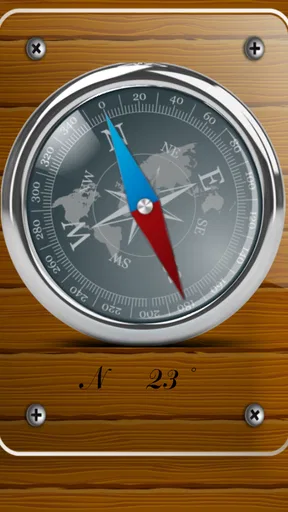
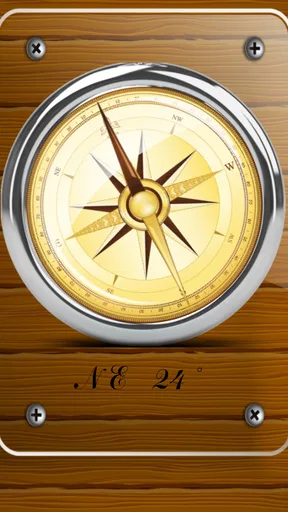
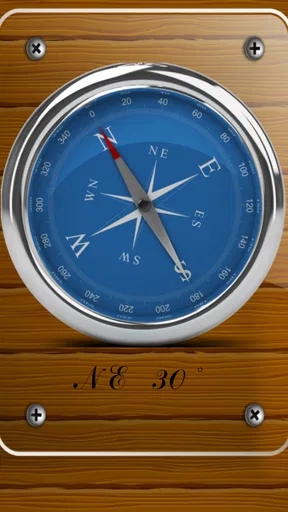
 Analysis by AppCompare
When I’m trying to orient myself, I don’t always need turn-by-turn directions; sometimes I just want to know which way I’m facing before choosing a path. That is the simple job I’d give Digital Compass on Android. It’s a free Maps & Navigation app from Photo and video apps, and its appeal is its direct, compass-first approach. I’d reach for it when I’m on foot, checking a trail or trying to get my bearings in an unfamiliar part of town, rather than expecting it to replace a full navigation service.
Start with the direction, not a route
The useful starting point is a phone with its location capability available and the app open. A compass answers a different question from a map: it tells you which way is north and how you’re oriented, but it does not by itself decide where you should go. I find that distinction matters. If I’m standing at a trail junction, I can use the compass to check my direction, then compare that with a paper map, a marked route, or the signs around me. It’s a small step, but it helps prevent the common mistake of setting off simply because a path looks promising.
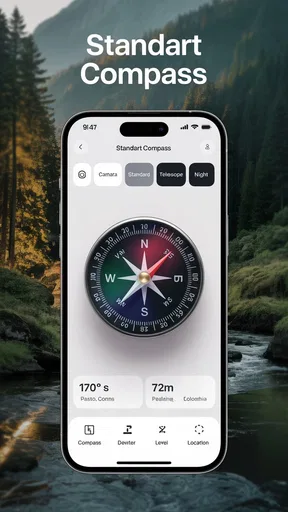
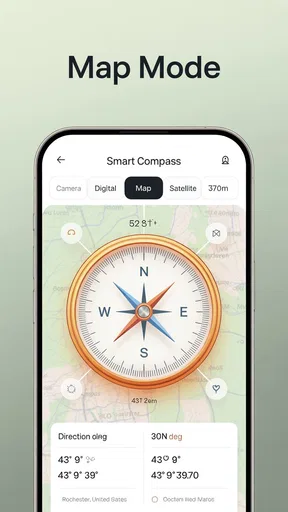
Digital Compass presents the compass prominently, with a large arrow that is easy to read at a glance. The screen also includes location and altitude information, along with a map view that can show satellite or street imagery. That combination makes it more useful than a compass face alone: I can check my orientation, glance at the broader surroundings, and decide what to do next without treating the app as an automatic route planner.
Simple Yet Effective Navigation
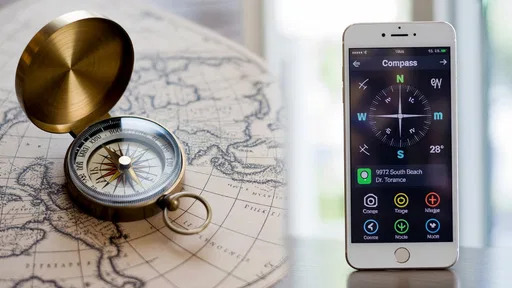
You know how some apps can be so cluttered with features that you forget what you opened them for in the first place? Not the Digital Compass. This app keeps it straightforward and efficient. As soon as you open it, you're greeted with a sleek interface that's all about getting you where you need to go. The compass itself is clear and easy to read, with a big, bold arrow pointing you in the right direction.
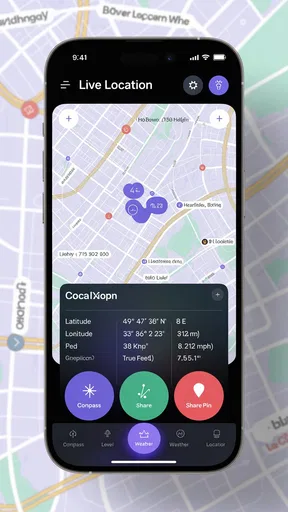
What's really cool is that it shows your current location and altitude. It's like having a mini survival kit on your phone! I found this particularly useful when I was hiking and wanted to know how high up I was. The app even includes a map view, which can switch between satellite and street views, making it super versatile.
Accuracy and Reliability
Let’s talk about accuracy. Because what's the point of a compass if it leads you astray, right? I tested this app in various locations, from the bustling city to the peaceful countryside, and it stayed true to its word. The Digital Compass consistently pointed me in the right direction. It even adjusts for magnetic declination, which is a fancy way of saying it compensates for the Earth's magnetic field changes. That's some high-tech stuff right there!
Another thing I love is that it doesn't need an internet connection to work. So, if you're in the middle of nowhere with no signal, you can still find your way. Just make sure your device’s GPS is turned on, and you’re good to go.
Worth Reading Before You Choose

Flipboard Shows What News Apps Must Do Beyond the Feed

Switching to Android Auto Means Rethinking Your Driving Routine

Google Calendar Makes a Crowded Week Easier to Manage

Ludo King Makes the Most of the Minutes Between Plans

Baby Panda World Brings Quick Play to Modern Phones, but Its Game Library Feels Busy

ESPN’s Live Game View Makes Following Close Games Easier
A realistic walk from screen to surroundings
Picture me arriving at a large park by bus, then leaving the stop on the wrong side of the road because the paths look similar. I can open the compass, check which direction I’m facing, and use the map view to relate that heading to the visible paths. Before walking, I’d look up from the screen and check the actual signs and landmarks. That handoff—from the phone’s orientation to the real-world route—is important: a compass can help me choose a direction, but it cannot tell me that a path is closed or that a landmark is hidden behind trees.
A practical habit is to take a bearing while standing still, then move a short distance and check whether the direction remains sensible. Phone compasses can be affected by nearby metal or electronics, so I wouldn’t judge reliability from one reading beside a car, railing, or speaker. If the arrow behaves oddly, I’d step away from those objects, hold the phone level, and compare the reading again. This is a simple way to catch environmental interference before it becomes a navigation mistake.
User-Friendly Features
Now, I’m all about features that make life easier, and this app doesn’t disappoint. It has a flashlight option right there on the main screen. Imagine you’re out camping and it gets dark faster than expected – bam! Instant light source. The app also lets you save your favorite locations, which is perfect for marking spots you want to revisit.
And for all the data geeks out there, the app provides latitude and longitude information. You can even share your location with friends, making it easier to meet up or let someone know you’re safe when exploring new territories.
Useful handoffs, with sensible limits
The location-sharing option is most helpful when it supports a plan rather than replacing one. For example, if I’m meeting someone at a trail entrance, sharing my location can help them find where I am; I’d still agree on a recognizable meeting point in case either phone’s position is imprecise. Likewise, saved locations can help me return to a viewpoint or a parked car, but I’d make the saved point distinctive and check it before leaving. A pin is a reminder, not a guarantee that the route back is obvious.
Latitude and longitude are especially useful when the person on the other end uses a different map app or needs coordinates rather than a street address. I would copy or share them before setting off if I expected patchy reception, and make sure the other person knows which location I mean. That small bit of preparation is more dependable than trying to explain a meeting spot while walking.
Battery Efficiency
One of my pet peeves is apps that drain your battery faster than you can say "I’m lost." Thankfully, the Digital Compass is pretty gentle on battery consumption. I used it intermittently throughout a day-long hike, and my battery barely took a hit. It's optimized to run smoothly without hogging all your phone’s resources, which is a huge plus in my book.
When a compass is better than a map app—and when it isn’t
Compared with the usual turn-by-turn navigation apps, this tool is better suited to quick orientation than to getting across town by a specified route. If I need traffic-aware directions, a planned journey, or frequent spoken instructions, I’d use a dedicated maps app. A physical compass and printed map remain the safer choice for a serious remote hike because they don’t rely on a phone battery, and they give me a broader view of the terrain. For casual walks, campsite orientation, and checking which way I’m heading, a phone compass is more convenient to carry and quicker to consult.
The map view is a useful bridge between those approaches, but satellite imagery is not a substitute for current trail information. Aerial views can help me recognize a clearing or road; street views can make familiar urban surroundings easier to match. Neither should be treated as proof that a path is open or safe. I’d use the compass as one source of orientation, then verify important choices against signs, a route guide, or local information.
Who will get the most from it
I’d recommend this app to someone who wants a straightforward digital compass for everyday orientation, occasional walks, or a simple way to mark and share a location. It is also a reasonable companion for a day outdoors if the user already understands that the compass supports navigation rather than handling the whole task. Its Everyone content rating makes it broadly suitable, and the current version is 1.9; it runs on Android 6.0 or later. It has an average rating of 3.8 from around 180 ratings, with 100K+ installs, so it has found a real audience, though that alone doesn’t tell me whether it suits every phone or situation.
I’d skip it if I wanted a full route planner, live traffic, voice guidance, or a dependable substitute for wilderness-navigation equipment. I’d also avoid relying on any phone compass as my only safety tool on a demanding trip. Battery condition, sensor behavior, and the surroundings all matter; if the reading is inconsistent, switching to a map or physical compass is the sensible move, not forcing the app to be right.
Questions worth answering before heading out
Does it work without mobile data? The compass can still be used without an internet connection, which is useful away from coverage, but I’d prepare maps or route details in advance rather than assume every map layer will be available offline. Should location be enabled? The existing review’s practical guidance is to turn on the device’s GPS for location-related information; the compass itself is most useful when the phone can establish orientation reliably.
Can I use it to meet someone or return to a place? The location-sharing and saved-location options make those tasks easier, especially when paired with a clear landmark or agreed meeting point. Is it enough for hiking? For a familiar, low-risk walk, it can be a handy orientation aid. For remote or challenging terrain, I’d pair it with a proper map, a physical compass, and preparation suited to the route. Those distinctions keep a convenient phone tool in its proper role.
Final Thoughts
In summary, if you're looking for a reliable and easy-to-use navigation tool, the Digital Compass for Android is definitely worth checking out. It combines simplicity with functionality, ensuring you never lose your way again. Whether you're an adventurer at heart or just someone who wants a reliable compass for everyday use, this app is a solid choice. So go ahead, download it, and start exploring with confidence!
My recommendation comes with one qualification: treat it as a quick orientation aid, not an all-purpose navigator. I like the clear compass, the location context, and the practical extras for saving or sharing places. I’d keep it ready for everyday direction checks and uncomplicated outings, while choosing a dedicated map or physical equipment whenever the route, conditions, or consequences call for more than a compass reading.
Pros
- Accurate navigation with minimal drift.
- User-friendly interface for easy use.
- Supports multiple compass modes.
- Works offline without internet.
- Customizable settings for preferences.
Cons
- Ads can be intrusive at times.
- Limited features in free version.
- Occasional calibration needed.
- Not compatible with all devices.
- Consumes battery quickly in use.
FAQs for Digital Compass for Android
What features does the Digital Compass app offer?
The Digital Compass app provides a range of features including accurate direction finding, a map view for easy navigation, and magnetic field strength measurement. It also offers GPS integration to show your current location coordinates, making it a handy tool for outdoor activities like hiking or camping.
Is the Digital Compass app accurate and reliable?
Yes, the Digital Compass app is designed to be highly accurate and reliable. It utilizes your device's built-in sensors to provide precise direction readings. However, accuracy can be affected by nearby magnetic fields or metal objects, so it's advisable to calibrate your device regularly for the best results.
Does the Digital Compass app require an internet connection?
The basic compass functionality does not require an internet connection, as it relies on your device's sensors. However, if you wish to use map features or GPS for location tracking, an internet connection may be necessary to download map data and ensure GPS accuracy.
Is the Digital Compass app compatible with all Android devices?
The Digital Compass app is compatible with most Android devices that have the necessary sensors, such as a magnetometer and accelerometer. It’s always a good idea to check the app’s requirements on the Google Play Store to ensure compatibility with your specific device model.
Are there any ads or in-app purchases in the Digital Compass app?
The Digital Compass app may include ads to support the developers. Some versions might offer in-app purchases to remove ads or unlock additional features. It's recommended to check the app's description on the Google Play Store for specific details regarding ads and purchases.


